
Ex/Import Tool
Path:
ECM Smart Connect Setup→Actions→Backup→ Ex/Import Tool
The Ex/Import Tool provides the ability to export or import the current state of ECM Smart Connect tables.
⚠️ Important: This tool is not intended as a backup solution.
Imports should only be performed with:
- the same client language,
- the same Business Central version, and
- the same ECM Smart Connect version.
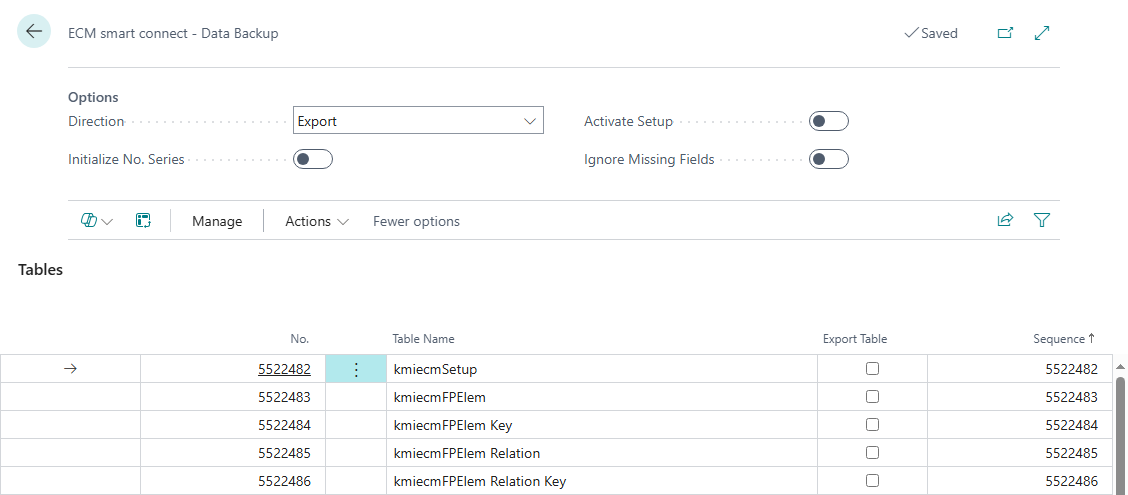
Options
This section defines whether data should be exported or imported, along with additional processing options. The selected settings control the tool’s behavior and should be chosen carefully, especially when importing into production environments.

| Option | Description |
|---|---|
| Direction | Specifies whether data should be exported or imported. |
| Initialize No. Series | Initializes number series from the initialization during the import process. |
| Activate Setup | Activates the ECM Smart Connect setup after import. If disabled, the setup remains inactive to prevent unintentional archiving. |
| Skip Missing Fields | Skips errors caused by missing fields in the target system during import. |
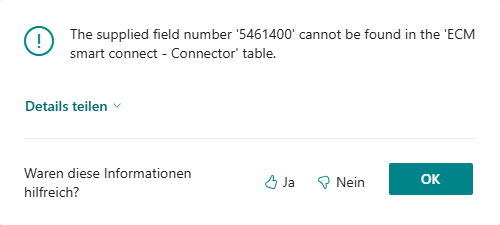
💡 If "Skip Missing Fields" is not selected, missing fields may cause import errors:
Tables
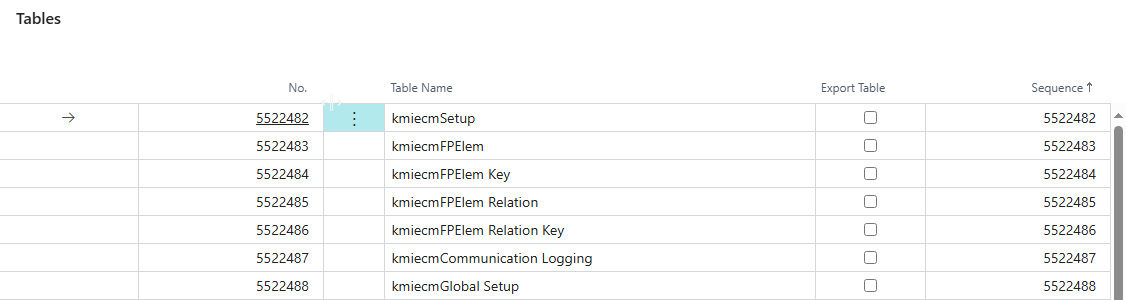
This view lists all relevant ECM Smart Connect tables and allows targeted selection of tables to be included in the export.
This subpage is only visible when Direction → Export is selected.
Fields
| Field | Description |
|---|---|
| Table No. | Number of the table to be exported |
| Table Name | Display name of the table |
| Export Table | Indicates whether the table should be included in the export |
| Sequence | Defines the order in which tables are exported (important to avoid relation errors during import) |
Actions in the Subpage
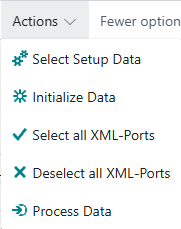
The available actions allow for quick selection of tables to be exported and provide options to start the export or import process.
| Action | Description |
|---|---|
| Select Setup Tables | Automatically selects all ECM Smart Connect setup tables in the correct order for export |
| Select All Entries | Marks all tables for export |
| Deselect All Entries | Removes export selection from all tables |
| Process Data | Starts the export or import process based on the selected direction |