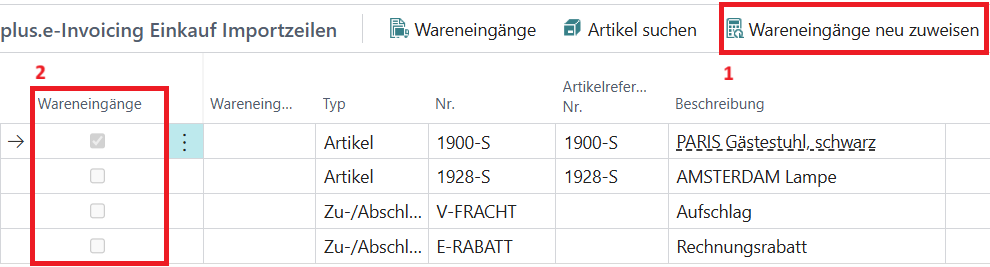
Receipt Line Reference
The receipt line reference is used to assign received goods receipts to the imported invoice and credit memo lines.
Note: If one or more receipt lines have been assigned to an import line, the information from these receipt lines will be used to process the purchase lines. If quantities, prices, or discounts differ, the final results from the import will also differ accordingly.
Note: If the imported invoice had an invoice discount and receipt lines have been assigned, this discount can no longer be automatically recalculated and must be entered manually in the created purchase document.
Setup
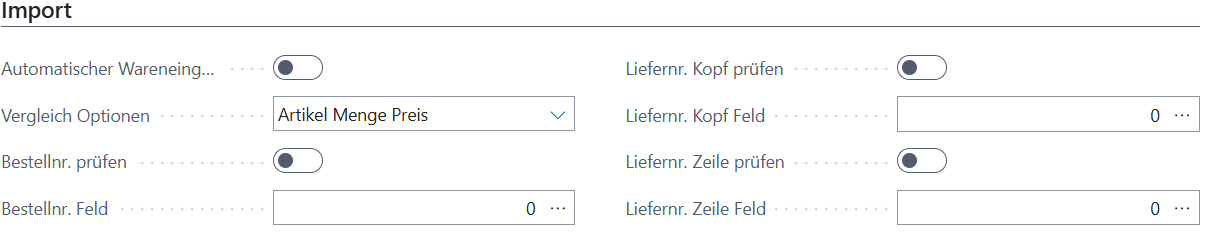
In the general setup, there is a dedicated section for configuring the receipt line reference for the import.
| Field | Description |
|---|---|
| Automatic Receipt Match | Indicates whether receipt lines should be found automatically during import. |
| Match Options | Indicates which fields the assignment is based on. |
| Check Order No. | Indicates whether the order number should be used for assignment. |
| Order No. Field | Indicates which field contains the order number information. |
| Check Vendor No. Header | Indicates whether the vendor number at header level should be used for assignment. |
| Vendor No. Header Field | Indicates which field contains the vendor number information at header level. |
| Check Vendor No. Line | Indicates whether the vendor number at line level should be used for assignment. |
| Vendor No. Line Field | Indicates which field contains the vendor number information at line level. |
Note: If both header and line vendor numbers are to be checked, the line information is prioritized if both values are found. Both pieces of information cannot be used together as a filter.
Usage
Automatic Assignment
Once automatic assignment is enabled, the system will attempt to assign a matching receipt line to the import line during import. This can only happen if a receipt line exactly matches the comparison options. If multiple lines are found, no automatic assignment will be made.
Manual Assignment
Manual assignment takes place in the import card. In the functions for the lines, there is a function called "Receipts". This opens a view of all previous assignments for this import line. Any automatically assigned receipt lines can also be found here.
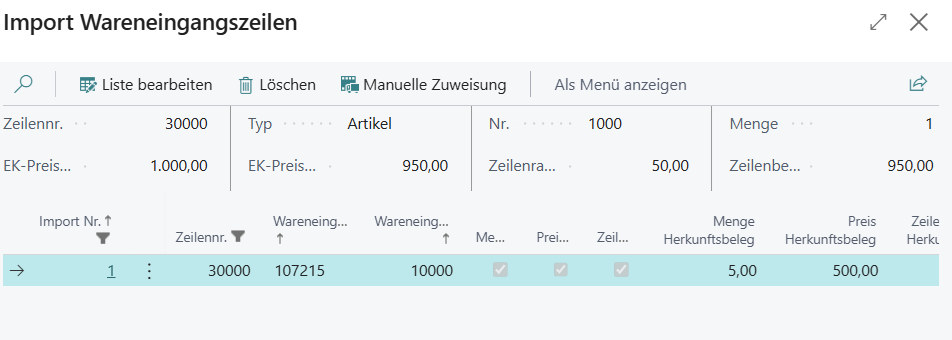
Additionally, there are fields here that determine how to handle assigned receipt lines if there are discrepancies with the import line.
| Field | Description |
|---|---|
| Quantity Difference | Indicates that there is a quantity deviation between the import line and the receipt lines. |
| Price Difference | Indicates that there is a price deviation between the import line and the receipt lines. |
| Line Discount Difference | Indicates that there is a line discount deviation between the import line and the receipt lines. |
| Corrected Quantity | Indicates the quantity to be used for creating the actual purchase line in case of deviation. |
| Corrected Price | Indicates the price to be used for creating the actual purchase line in case of deviation. |
| Corrected Line Discount | Indicates the line discount to be used for creating the actual purchase line in case of deviation. |
Note: The fields Corrected Quantity, Corrected Price, and Corrected Line Discount must be used if there are deviations; otherwise, a purchase document cannot be created. The total corrected quantity cannot exceed the quantity of the import line.
Using the "Manual Assignment" function opens an overview of all receipt lines that could be relevant for the import line.
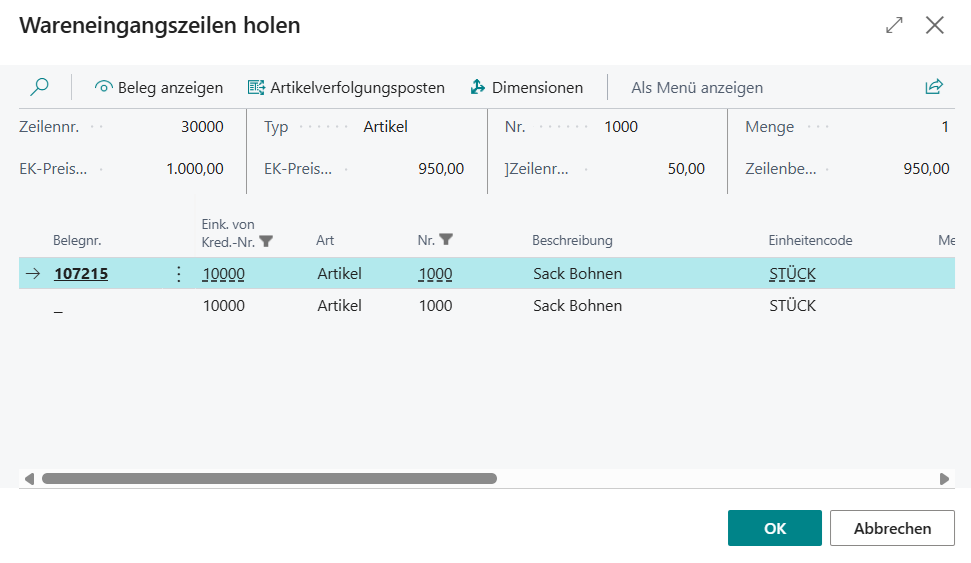
By selecting one or more lines, these are linked to and assigned to the import line.
The "Reassign Receipts" function deletes all previous assignments and attempts to perform the automatic assignment again.