
Cashing Process
To perform a cashing process, open the cash sales list. Here you can see all created, not yet finished cash orders and all open cash credit memos for the currently selected cash setup in a list overview:
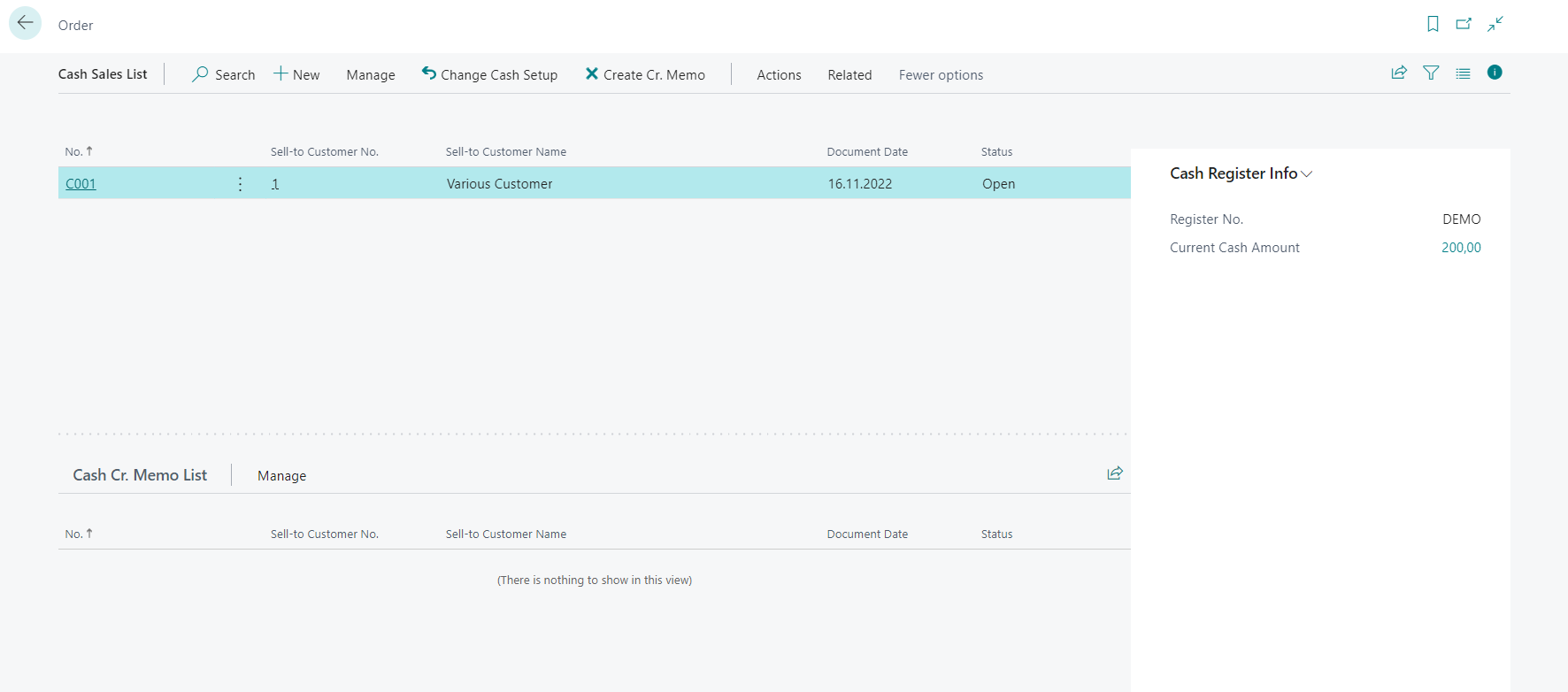
When you want to start a cashing process, create a new cash order by selecting the action "New". A new cash order will open, where you can add additional information about the customer and the items you want to sell to them.
(Please note that you can only select items within cash orders. Other line types like resources, g/l accounts or item charges still need to be posted through a regular sales order.)
After adding all item lines, you can select the action "Cash" to post the cash order. After selecting the action, a new page will open, where you can registser the payment type and the received amount. When you are done, you can select the action "Cash" to finish the process:
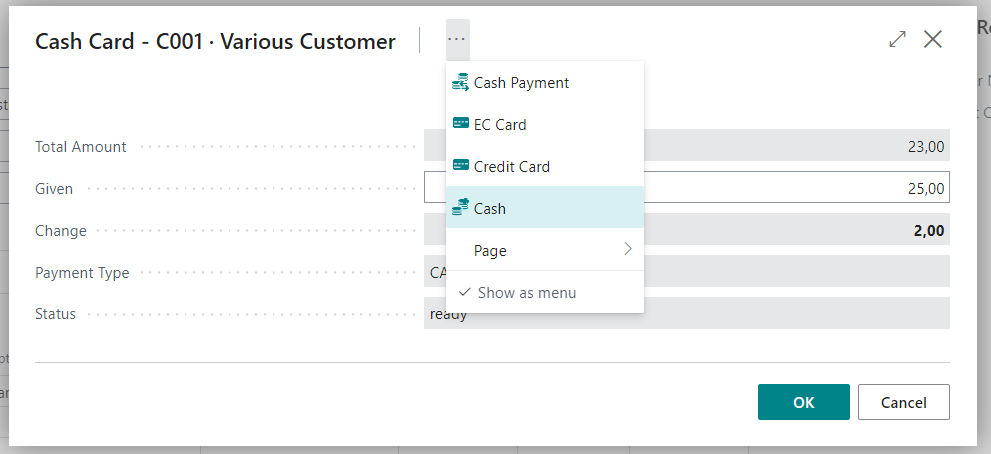
As soon as the cashing process is done, the data will be sent to the middleware of fiskaltrust and a posted sales order will be created. A receipt/invoice will also be printed. After this, the cash order is done and will disappear from the cash sales list.